

What you will accomplish
- Design wallet connection and network detection
- Present funding and trading as separate approvals
- Protect users from wrong-network and malicious-signature flows
- Confirm app activity with blockchain evidence
Before you begin
- A wallet application with secure signing
- WalletConnect or an equivalent supported connection method
- A confirmed Quote.Trade integration scope and API access
- Current stablecoin and network configuration
- A tested deep-link return flow
Define what the wallet and Quote.Trade each do
State that Quote.Trade is the execution venue and identify which experience is provided by the wallet versus Quote.Trade. Link terms, risk disclosures, support ownership, and contract verification before funding. Do not make the integration appear to be a token swap if it creates collateralized long/short exposure.
Detect network and supported stablecoin
Check the live Quote.Trade funding screen instead of hard-coding an old list. Validate the chain ID, token contract, decimals, wallet balance, approval status, and native gas for the route currently shown in the app.
Separate connection, funding, and trading approvals
Connecting a wallet should not authorize a deposit or trade. Present the funding transaction, token allowance if applicable, destination contract, amount, network fee, and explorer link. Then present the Quote.Trade order as a separate explicit action.
Show the complete execution preview
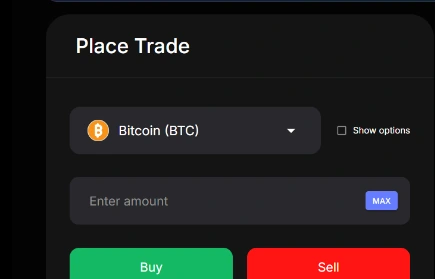
Display market, side, quantity, all-in price, collateral currency, leverage state, order type, expiration, and maximum exposure. Explain that the underlying token is not transferred to the wallet merely because the user takes market-linked exposure.
Authenticate without exposing secrets
Use wallet challenge signing or the approved partner authorization flow. Keep API request tokens and HMAC secrets in secure storage; never put them in analytics, prompts, browser logs, or crash reports. Scope partner access to necessary accounts and actions.
Confirm the Quote.Trade and blockchain results
Track the deposit confirmation, Quote.Trade account credit, order and position update, close, withdrawal request, and final token transfer. Show a clear pending status and a block-explorer link for each on-chain transaction.
Test mobile failure and recovery paths
Test app switching, rejected signatures, wrong networks, RPC failures, delayed confirmations, duplicate taps, expired quotes, browser deep links, disconnected wallets, and changed account addresses. Block duplicate funding or orders while status is uncertain.
Common problems and fixes
The wallet account changes before signing
Bind the session to the new account, request a new challenge and balances, and invalidate the old preview.
A deposit transaction succeeds but account credit is delayed
Show the transaction as pending with its hash. Do not ask the user to deposit again while the first transfer is being checked.
The wallet cannot support the target network
Do not offer the route. Provide a clearly external handoff only if the user can verify network and destination.
A signing prompt is not human-readable
Do not release the flow until the prompt clearly shows the action, account, amount, network, destination, and any permission being granted.