

What you will accomplish
- Select the correct supported stablecoin and network
- Verify the destination and token contract
- Complete a small test deposit
- Confirm both on-chain receipt and platform credit
Before you begin
- A self-custody EVM wallet you control. Do not fund directly from a centralized exchange.
- USDC or USDT on a currently supported funding network
- Native gas token for the selected network
- Enough time to verify every address before signing
Connect the self-custody wallet you control
Connect the self-custody wallet that will receive any future withdrawal. Do not use a centralized-exchange deposit or withdrawal address, because you may not control that address when Quote.Trade returns funds.
Open the live funding interface
Open the funding screen from the official Quote.Trade app. Do not use an address copied from an old message, cached instructions, or a search result.
Select the exact stablecoin and network
Current public materials show Ethereum USDC, Ethereum USDT, and XDC USDC funding routes. Confirm current availability, chain ID, token contract, decimals, and destination in the app.
Verify the wallet network and token contract
Match full addresses, not only first/last characters. Ensure enough native gas exists for the token transfer where required.
Send the smallest practical test deposit
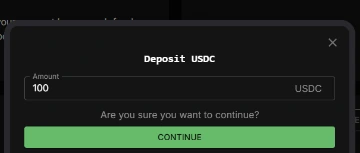
Send the smallest practical test amount from the connected self-custody wallet. Record the transaction hash, amount, token, network, destination, and UTC time. Wait for Quote.Trade to show the deposit before sending more.
Confirm the blockchain transfer and Quote.Trade balance
Confirm both the explorer transaction and the Quote.Trade balance. If the transfer succeeded on-chain but the balance has not updated, stop and contact support with the transaction hash. Never share a seed phrase or private key.
Common problems and fixes
The stablecoin is on the wrong network
Do not send it. Bridge or transfer through a trusted route to a network the live app currently supports.
The wallet shows a different spender
Cancel and re-open the funding flow from the official Quote.Trade app.
The transaction is confirmed but balance is missing
Save the transaction hash, wallet, asset, network, and time. Do not send the deposit again until support has located the first transfer.
The wallet lacks gas
Acquire the network’s native gas token through a trusted route before retrying the exact verified transaction.
Answers before you continue
Do I need to bridge every token I want to trade?
No. Quote.Trade uses stablecoin collateral for supported market exposure. You may still need to move the supported stablecoin onto an accepted funding network.
Should I send directly from a centralized exchange?
No. Send only from a self-custody wallet you control. Quote.Trade withdrawals return to the connected wallet address. If you fund from a centralized-exchange address, you may not control that address and may be unable to recover the withdrawn funds.